
✓ Full Compatibility Confirmed
The Aula F99 uses standard MX switches, making it fully compatible with MX-style keycaps. Our customization tools are pre-configured for this keyboard's 99-key compact full-size layout including the integrated numpad, compressed navigation cluster, and standard bottom row configuration.
Aula F99 的键帽相关规格
Aula F99 自带哪种键帽?
Quality Construction
The Aula F99 ships with doubleshot PBT keycaps in Cherry profile, a widely appreciated low-profile design known for its balanced ergonomics and familiar feel. At approximately 9.5mm tall in the home row, Cherry profile provides a comfortable typing angle that works well for extended typing sessions and gaming alike.
Material and Durability
The doubleshot PBT construction means legends are molded through two layers of plastic, making them virtually fade-proof even after years of heavy use. PBT plastic offers excellent resistance to shine and wear compared to ABS alternatives. The material provides a slightly textured surface that many users prefer for its grip and premium feel.
RGB Performance
With north-facing RGB LEDs, the F99's stock keycaps allow vibrant backlighting to shine through the doubleshot legends. The translucent legend layer ensures excellent illumination in low-light conditions, though some users note that north-facing LEDs can occasionally cause interference with certain Cherry profile keycap sets.
Sound and Feel
The stock keycaps contribute to the F99's typing acoustics, working in concert with the gasket-mounted structure and five-layer sound-dampening system to produce a satisfying, muted sound profile. The Cherry profile height complements the keyboard's overall typing feel.
While Aula's stock keycaps are solid performers offering good quality for the price point, many enthusiasts upgrade to custom keycaps for access to unique colorways, specialty profiles optimized for specific use cases, or different material characteristics.
适用于 Aula F99 的定制键帽
Profile Options
The Aula F99's standard MX switches open up the full spectrum of custom keycap profiles. Cherry profile remains an excellent choice, matching the stock height while offering premium materials and unique designs. For those seeking different typing experiences, KAM profile provides a uniform mid-height alternative with spherical tops for improved finger comfort.
Gaming-focused users often appreciate Cherry profile's shorter height for rapid key actuation, while PBS profile offers a similar low height with a boxier aesthetic. The PFF profile, though designed for low-profile switches, can physically fit but isn't optimal for this keyboard's standard-height MX switches. For maximum key sculpting and ergonomic support, MT3 profile delivers a dramatic high-profile option, though its taller design changes the typing angle significantly.
Consider your primary use case: competitive gaming benefits from lower profiles like Cherry, while extended typing sessions may feel more comfortable with sculpted options like KAM or MT3.
Material Options
Custom keycaps typically use either PBT or ABS plastic, each with distinct characteristics. PBT keycaps resist shine and maintain their texture over time, offering durability similar to the F99's stock caps but often with thicker walls for improved acoustics. Dye-sublimation printing on PBT produces fade-resistant legends that can withstand years of intensive use.
ABS keycaps develop a glossy patina over time that some users enjoy, and they're often available in more vibrant colors since the material accepts pigments readily. Thicker keycaps (1.4mm+) significantly affect typing sound, producing deeper, more satisfying acoustics.
Layout Compatibility Analysis
The Aula F99's 96% layout presents an interesting compatibility situation. While the keyboard uses entirely standard keycap sizes - from the 6.25u spacebar to standard 2.25u left shift and 1.75u right shift - its compact arrangement means you'll need a complete base kit plus numpad kit from most keycap sets.
Comparing the F99 layout to standard full-size keyboards reveals the genius of the 1800/96% design: it maintains full functionality while eliminating the gap between the main cluster and numpad. Every single key uses a standard size, meaning you won't struggle to find oddball sizes like some compact layouts require.
What to verify when shopping:
- Ensure the set includes a full numpad (not all base kits do)
- Confirm standard bottom row coverage (6.25u spacebar, 1.25u modifiers)
- Check that standard alphas and modifiers are included
- For specialty sets, verify they support ANSI layout
The compressed navigation cluster (Del, Home, End, Page Up/Down) uses standard 1u keys in different positions than TKL or full-size boards, but since the sizes are standard, coverage isn't an issue.
Yuzu's Solution
At Yuzu, we've pre-configured our customization tools specifically for the Aula F99:
- All 99 keys mapped correctly, including the compact navigation cluster and integrated numpad
- Cherry and KAM profile options available in unlimited color combinations
- Professional dye-sublimation on premium PBT for fade-resistant, long-lasting legends
- Perfect fit guaranteed for the F99's unique 96% layout arrangement
- Custom legends and novelty keys supported
- North-facing LED compatibility ensured
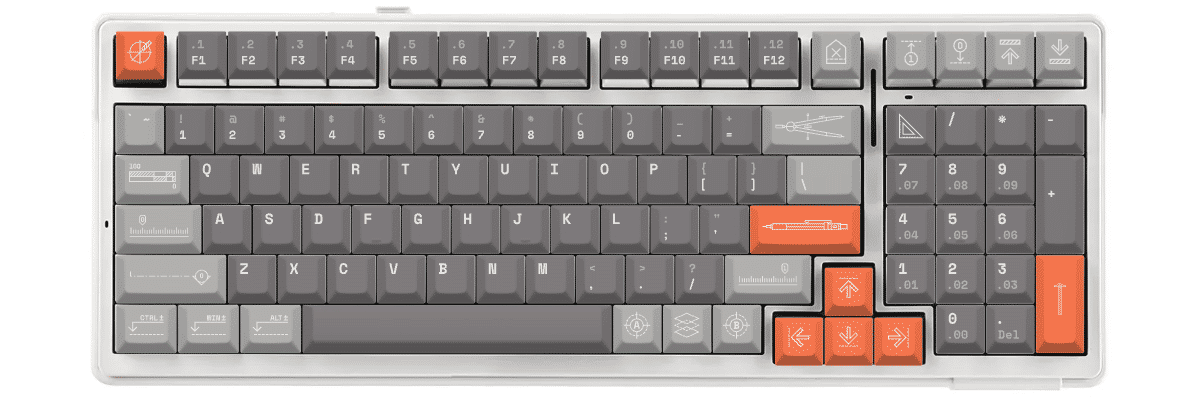
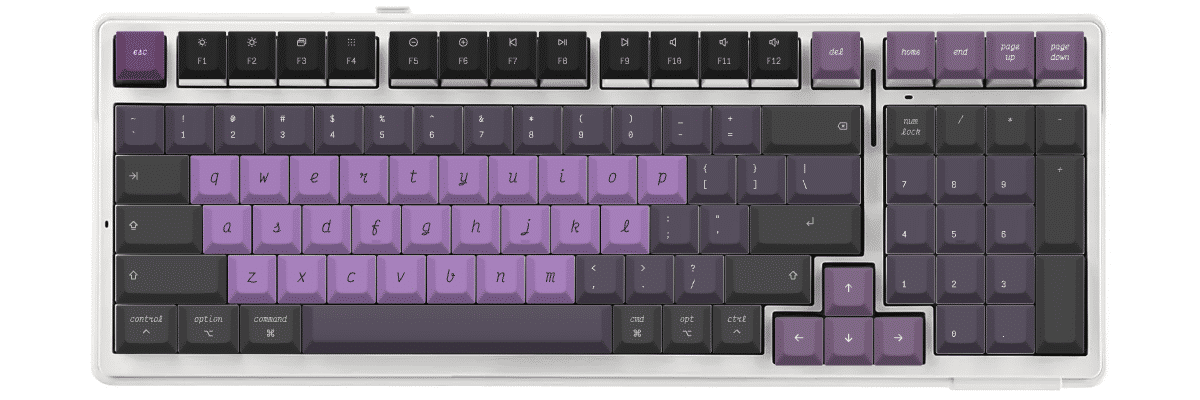
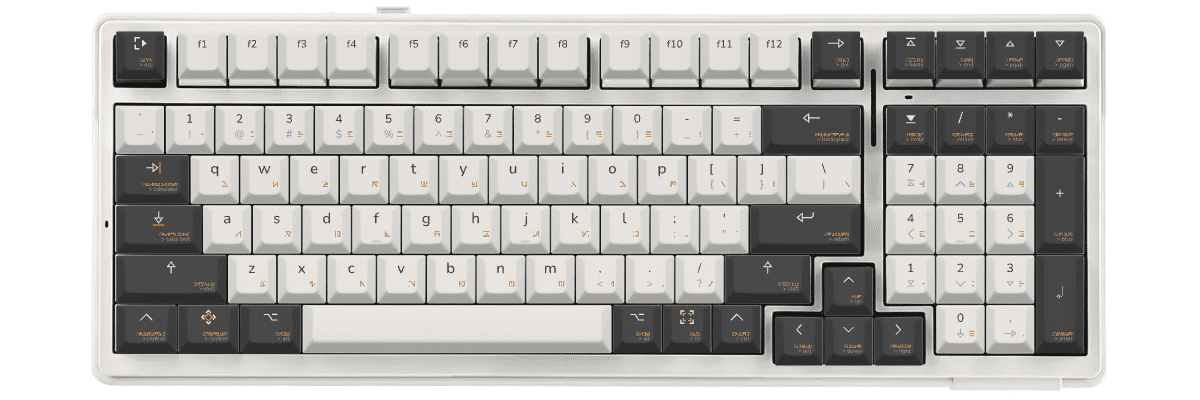
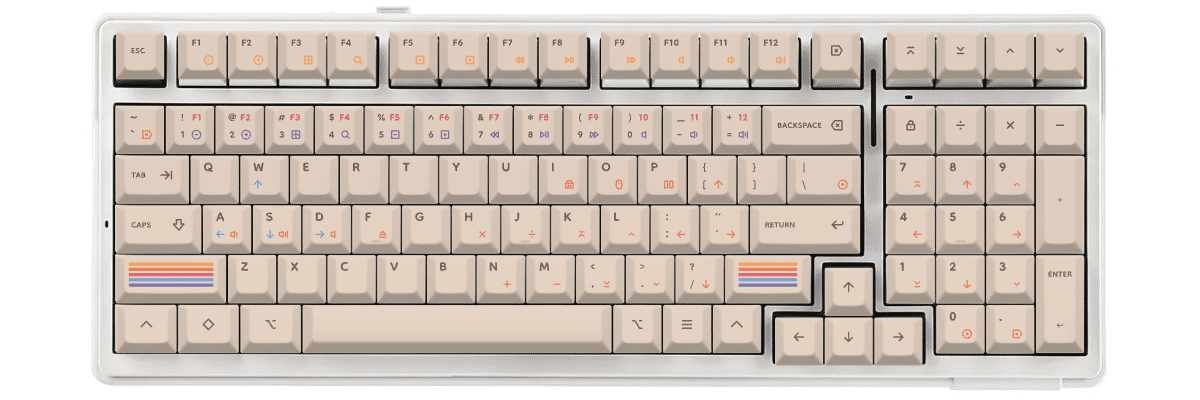
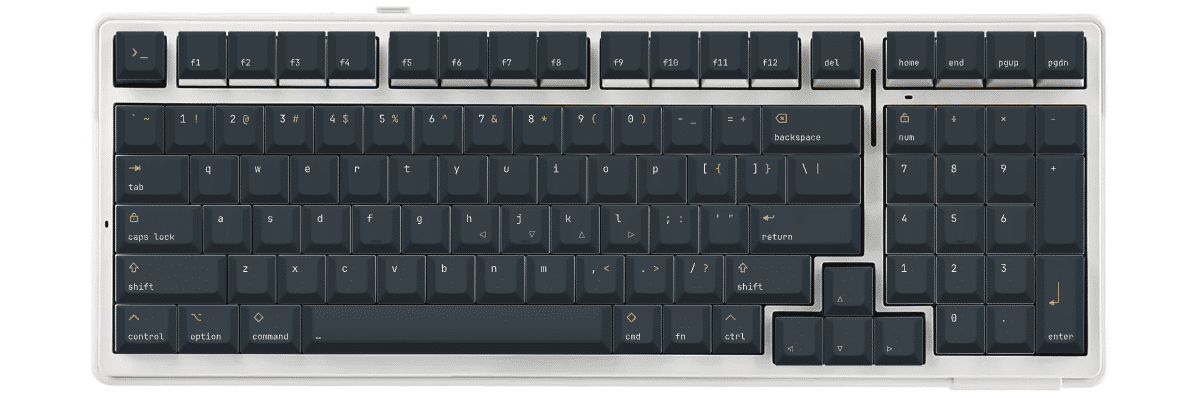
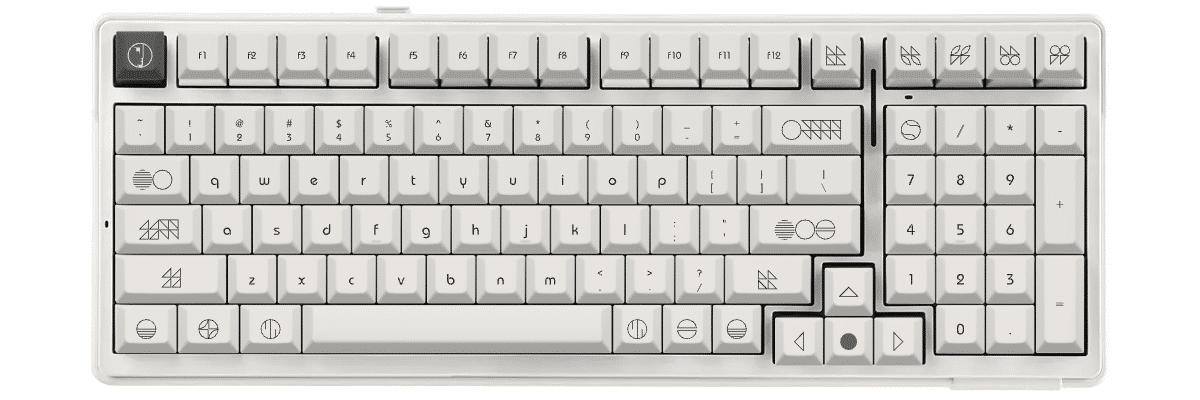
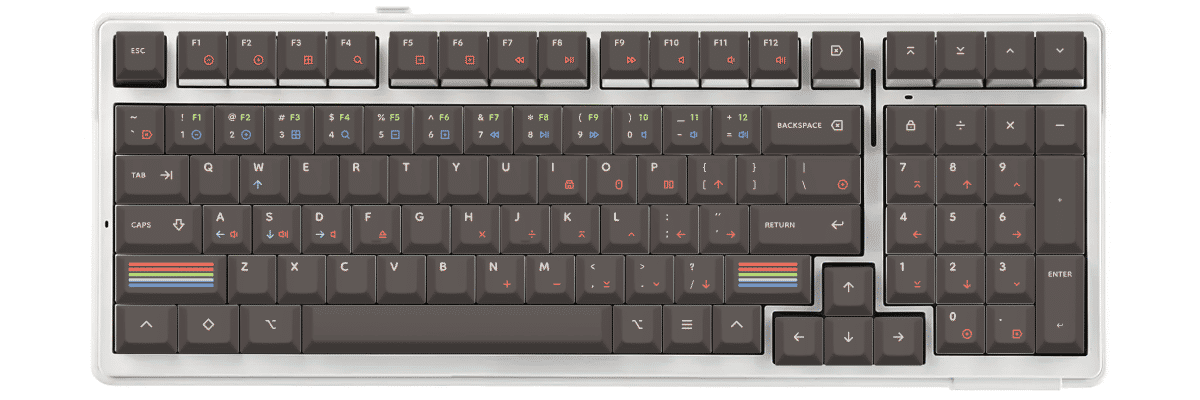
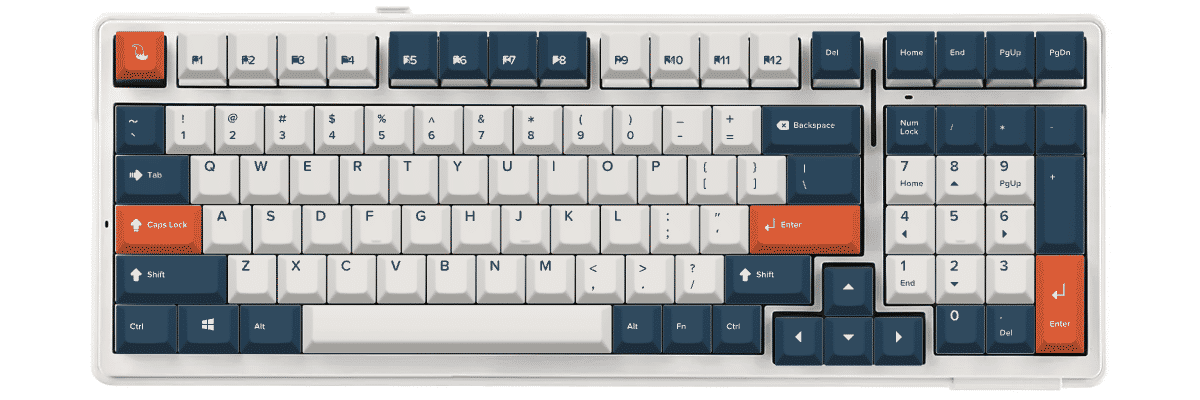
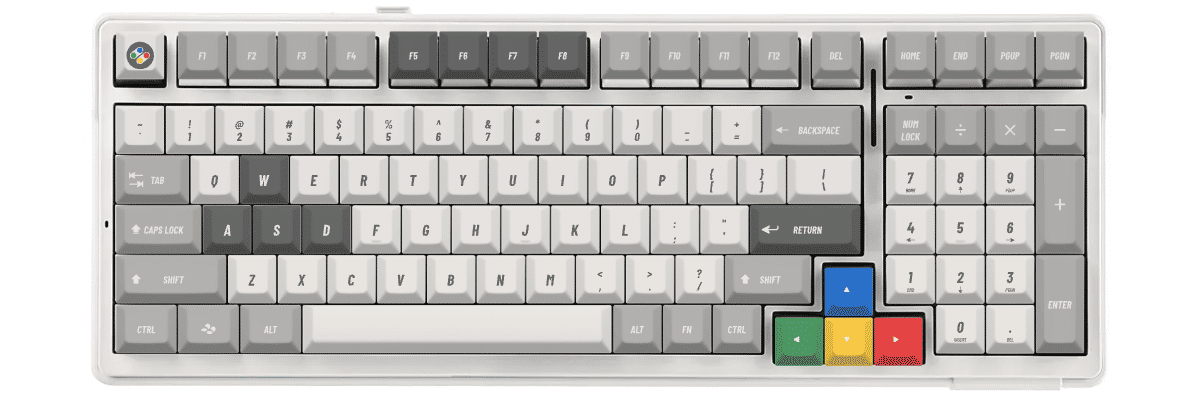
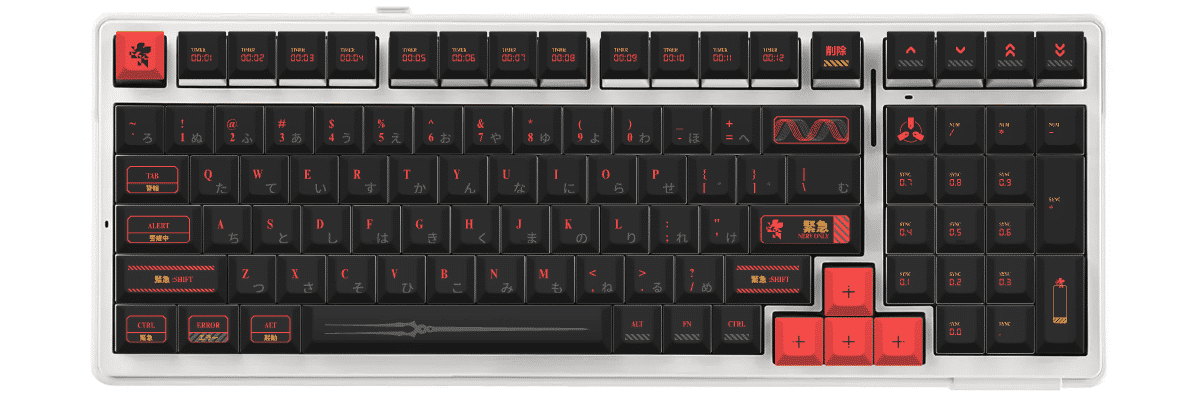
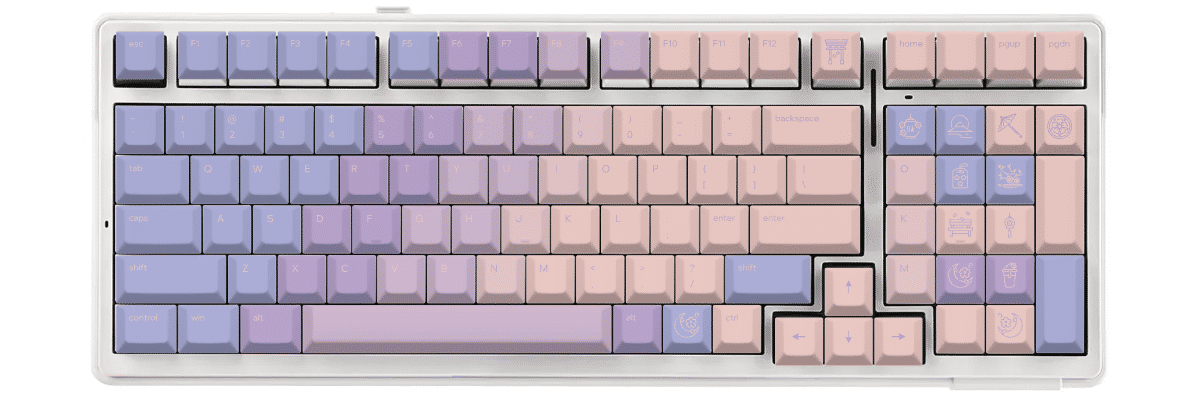
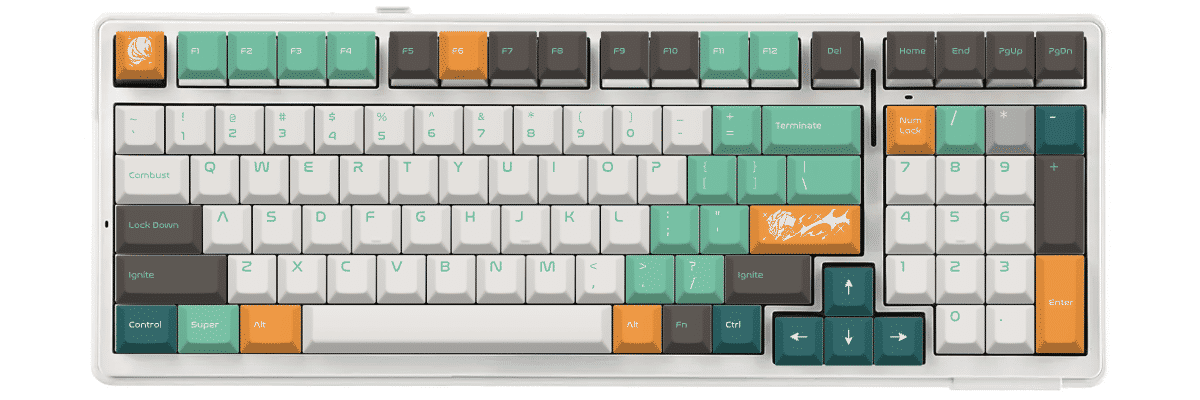
Our customization tool lets you design your keycaps with real-time preview on an Aula F99 template, ensuring your design looks exactly as intended before production begins. With production taking 3 to 9 days, you'll have your custom set ready quickly.
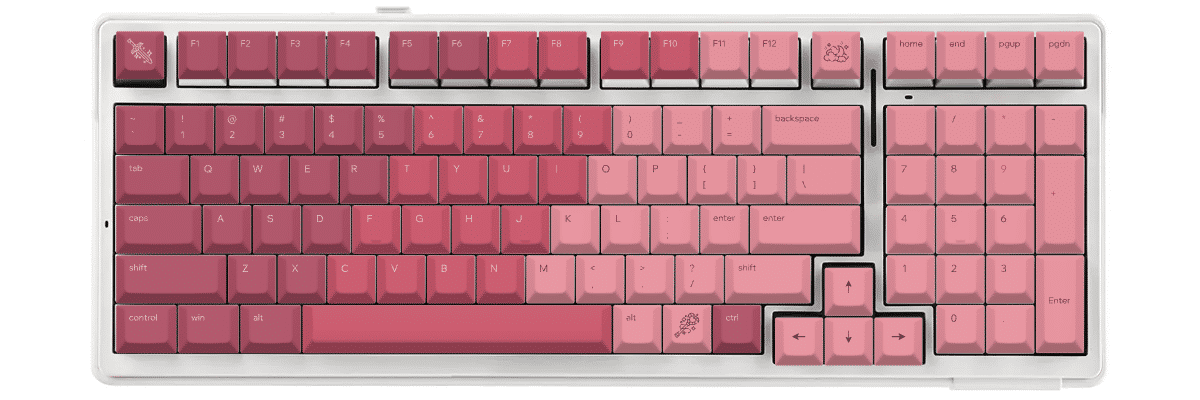
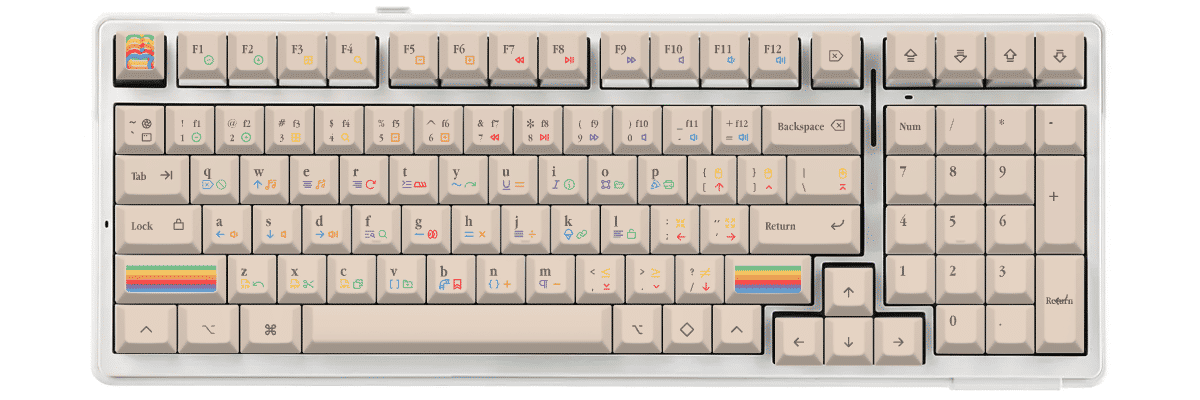
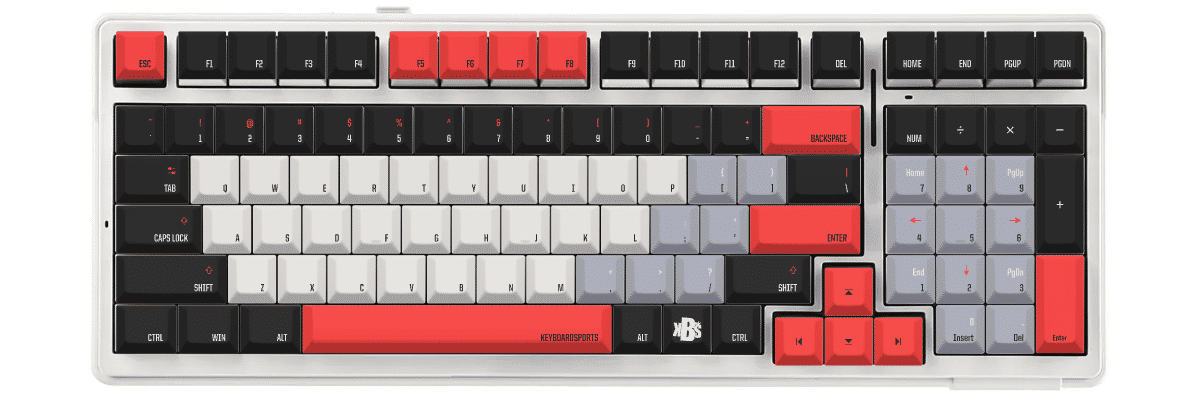
如何为 Aula F99 制作定制键帽
Creating custom keycaps for your Aula F99 is straightforward with Yuzu's pre-configured templates. Our tool automatically accounts for the keyboard's 96% layout with integrated numpad and compressed navigation cluster, so you can focus on designing rather than measuring compatibility.
The customization process:
- Select Aula F99 from our keyboard catalog
- Choose your preferred profile (Cherry for familiarity, KAM for ergonomic comfort)
- Design your colors, legends, and special keys
- Preview in real-time on an accurate Aula F99 template
- Order your custom set with confidence in perfect compatibility
Key advantages for F99 owners:
- Pre-mapped 99-key layout eliminates guesswork
- North-facing LED optimization available
- Standard keycap sizes throughout mean full customization freedom
- Multiple profile options to change typing feel
Whether you're creating a themed set for gaming, a professional colorway for office use, or expressing your personal style, Yuzu's tools ensure your custom keycaps fit perfectly on every key of your Aula F99.
对比 Aula F99 的键帽方案
When considering keycap options for your Aula F99, you'll typically compare three paths: keeping the stock keycaps, shopping for compatible pre-made sets, or creating fully custom keycaps. Each approach has distinct tradeoffs in design flexibility, cost, availability, and guaranteed compatibility.
While the Aula F99 uses entirely standard keycap sizes, its 96% layout means you'll need to ensure any pre-made set includes both a complete base kit and numpad coverage. Custom options eliminate compatibility concerns while offering unlimited design possibilities.
| 对比项 | 原装键帽 | 成品套装 | Yuzu 定制 |
|---|---|---|---|
| 完美适配 | ✓ 为该型号设计 | ⚠ 需确认兼容性 | ✓ 已预先配置 |
| 设计选择 | 有限 | 数百种选择 | 不受限 |
| 价格区间 | 随机附带 | 40-300 美元以上 | $90.40 |
| 交付周期 | 即时 | 取决于库存 | 9 个工作日 |
| 独一无二的设计 | ✗ | ✗ | ✓ |
| 材质品质 | Doubleshot PBT | 差异很大 | 优质 PBT |
| 字符工艺 | Doubleshot | 各不相同 | 热升华 |
常见问题
准备好设计你的 Aula F99 键帽了吗?
Join thousands of keyboard enthusiasts who've upgraded their Aula F99 with custom Yuzu keycaps. Professional quality, unlimited design options, and perfect compatibility guaranteed.
✓ Pre-configured for Aula F99's 99-key layout
✓ Premium PBT with dye-sublimation
✓ Cherry and KAM profiles available
✓ All 99 keys including integrated numpad
✓ North-facing RGB optimized
✓ Perfect fit guarantee