
✓ Full Compatibility Confirmed
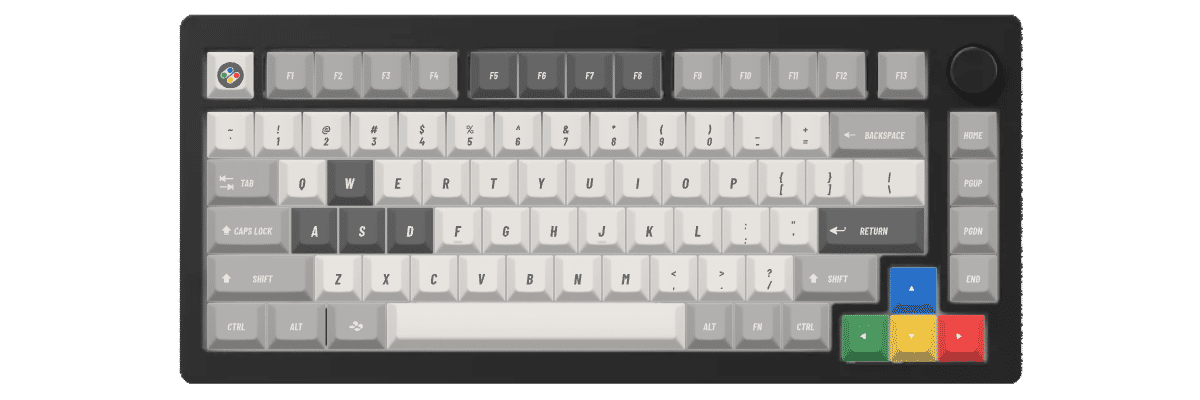
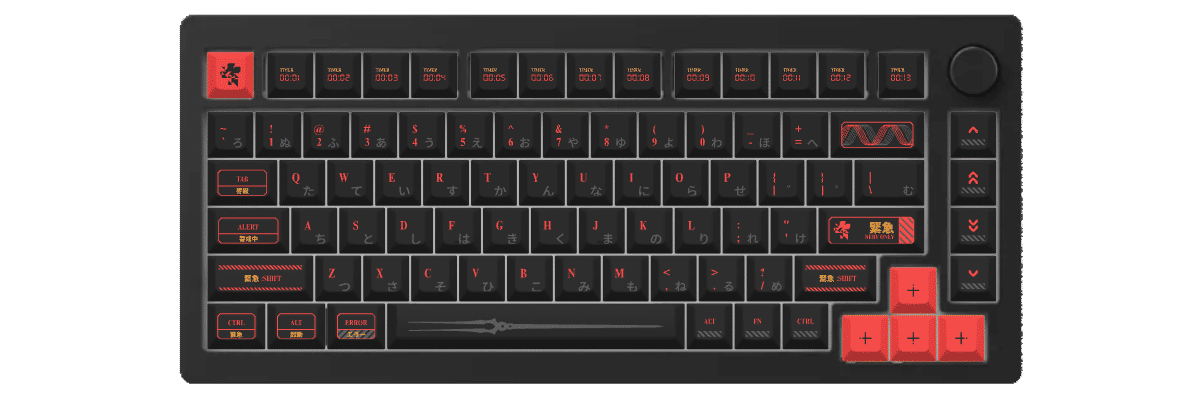
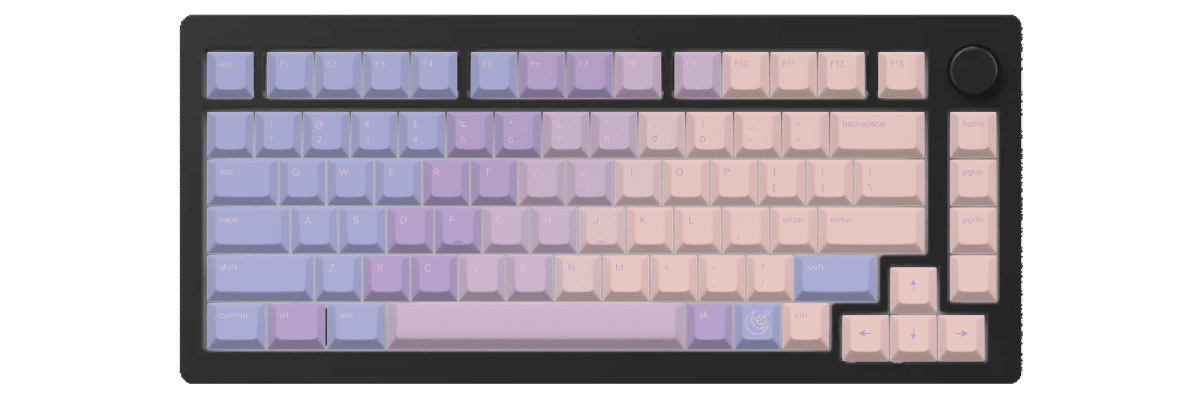
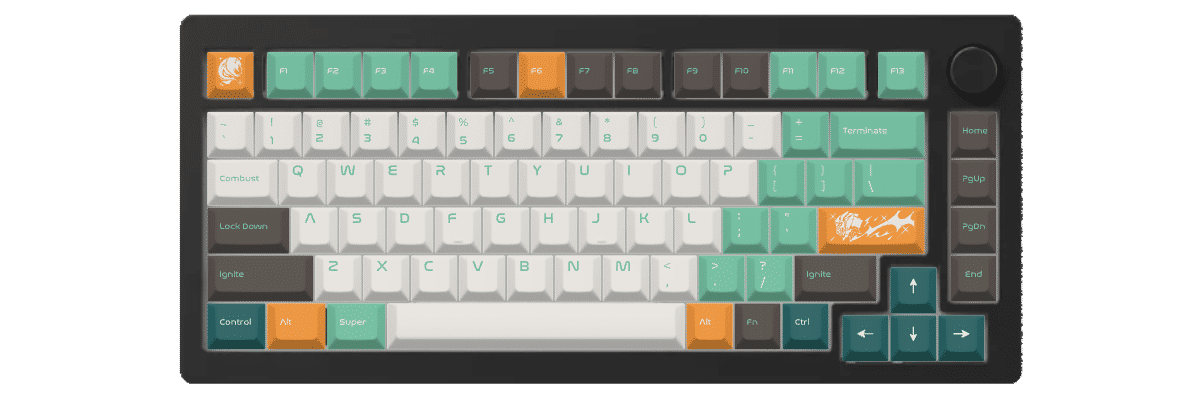
The Monsgeek M1 uses standard MX switches (KTT White or Black Linear), making it fully compatible with MX keycaps. Our customization tools are pre-configured for this keyboard's 83-key layout including the unique F13 function key and rotary encoder position.
Monsgeek M1 的键帽相关规格
Monsgeek M1 自带哪种键帽?
Stock Keycap Analysis
The Monsgeek M1 ships with transparent doubleshot keycaps in ASA profile, a sculpted profile designed to offer a comfortable, ergonomic typing angle. The ASA profile sits between Cherry and OEM in height, providing a familiar feel for most users transitioning from standard keyboards. At approximately 12mm tall on the home row, ASA offers slightly more sculpting than Cherry profile while maintaining excellent finger placement.
Material & Construction
The transparent construction allows RGB lighting to shine through brilliantly, creating an impressive light show thanks to the south-facing LED design. The doubleshot manufacturing ensures legends won't fade over time, though the transparent material may show fingerprints more readily than opaque PBT alternatives. The plastic feels smooth to the touch with moderate thickness.
Sound & Feel
With the gasket-mounted aluminum case and included foam dampening, these keycaps produce a pleasant typing sound. The transparent material contributes to a slightly higher-pitched acoustic profile compared to thick PBT alternatives. The south-facing LEDs illuminate the legends effectively from the user's perspective.
While Monsgeek's stock keycaps are functional and showcase RGB lighting beautifully, many users upgrade to custom keycaps for improved thickness, alternative profiles like Cherry or KAM, unique colorways, or premium materials that better complement the M1's high-quality aluminum construction.
适用于 Monsgeek M1 的定制键帽
Profile Options
The Monsgeek M1's standard MX switches open up the entire world of keycap customization. Cherry profile works exceptionally well on this keyboard, offering a low-profile sculpted design (around 9mm tall) that pairs beautifully with the M1's compact 75% form factor. The Cherry profile's subtle sculpting provides excellent typing comfort for extended sessions, making it ideal for both productivity and gaming.
KAM profile (Keyboard Arcane Memorabilia) is another excellent choice, offering a uniform R3 height across all rows at approximately 12mm. This creates a distinctive retro aesthetic while maintaining modern typing comfort. For users who prefer taller profiles, PBS (Penguin Big & Spherical) provides a spherical top surface at 13-14mm height, delivering excellent tactile feedback for touch typists.
The south-facing LED configuration is particularly important for profile selection—Cherry profile keycaps won't have any interference issues, and legends on the front-facing side will be properly illuminated. Low-profile enthusiasts can also consider PFF (Penguin Flat Feet) for a modern, sleek look, though standard-height profiles are optimal for this keyboard's switch design.
Material Options
PBT (Polybutylene Terephthalate) is the premium choice for the M1, offering superior durability and a textured surface that resists shine even after years of use. Dye-sublimated PBT keycaps produce incredibly sharp, fade-resistant legends that will outlast the keyboard itself. The slightly textured feel of quality PBT provides excellent grip and a premium typing experience.
ABS (Acrylonitrile Butadiene Styrene) offers smoother tops and can achieve brighter colors, though it develops shine over time. For the M1's aluminum construction, pairing it with thick 1.5mm PBT keycaps enhances the premium feel and produces a deeper, more satisfying acoustic profile. The material choice significantly impacts sound—PBT creates a lower-pitched "thock" while ABS produces a higher-pitched "clack."
Layout Compatibility Analysis
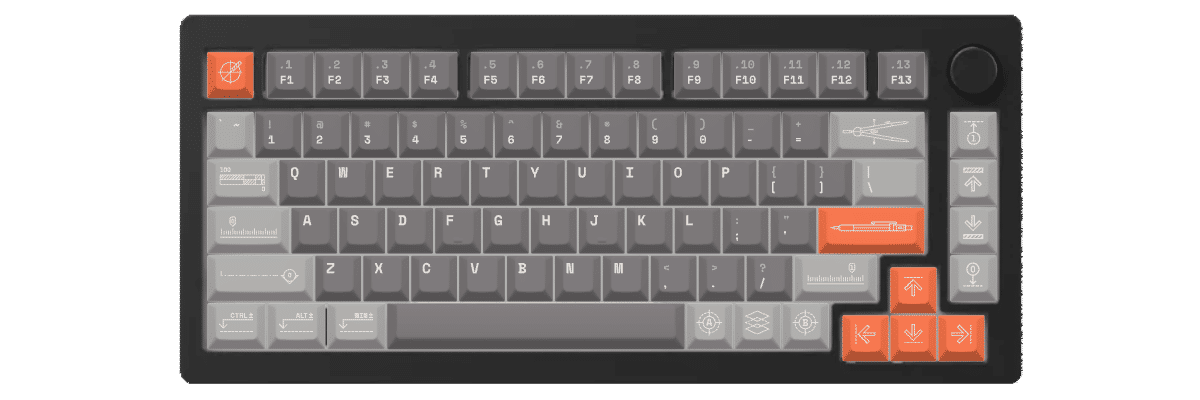
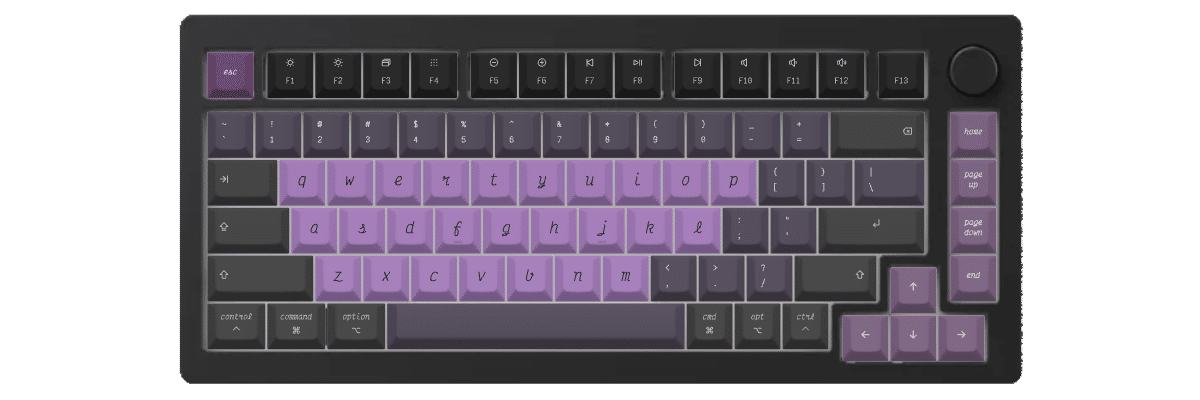
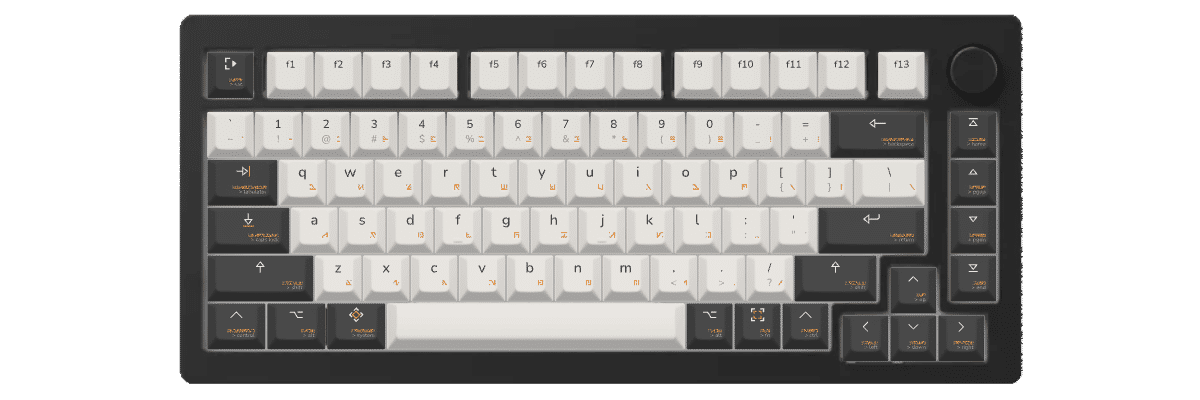
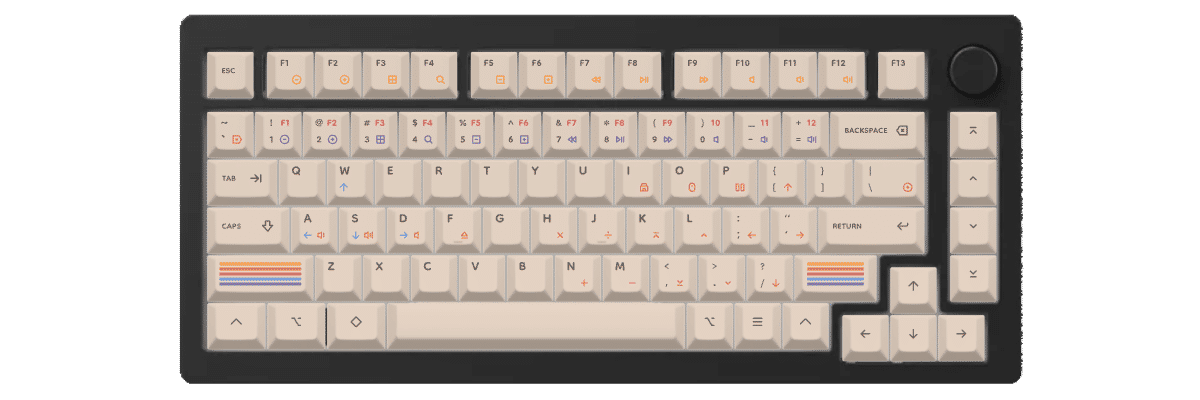
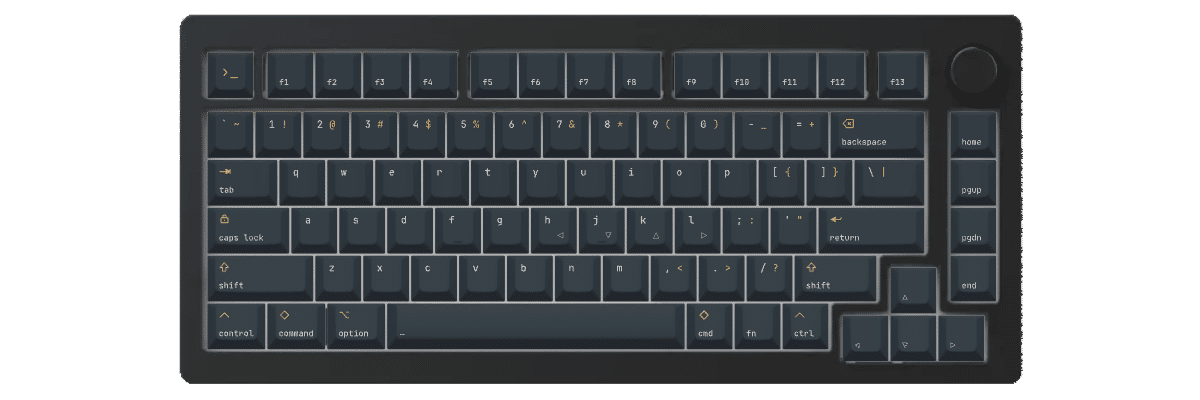
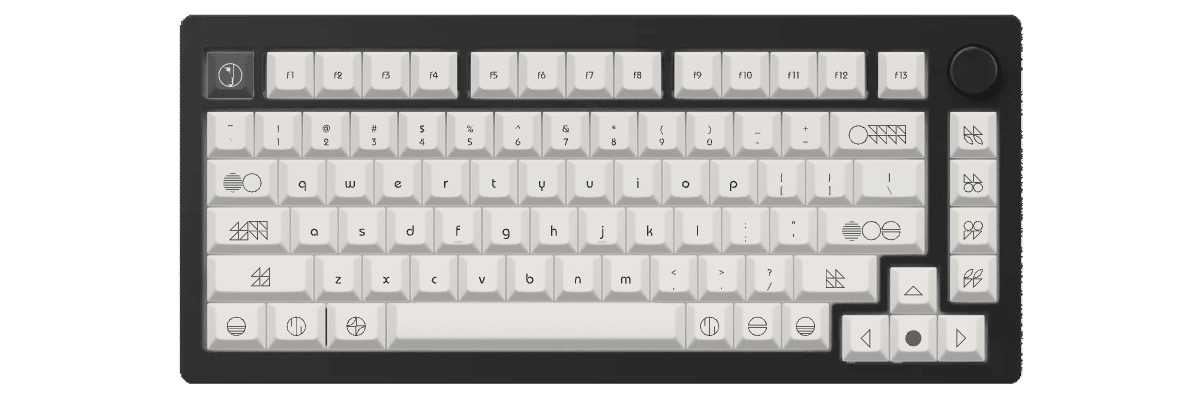
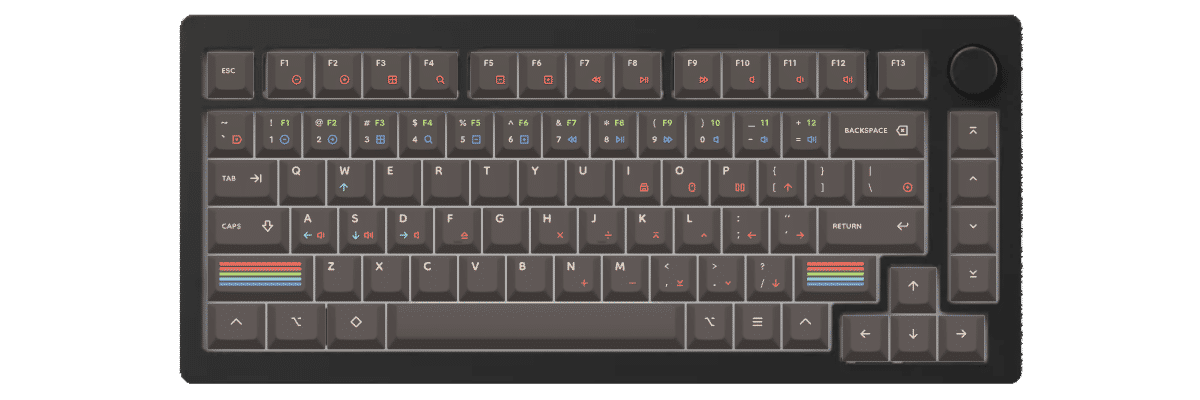
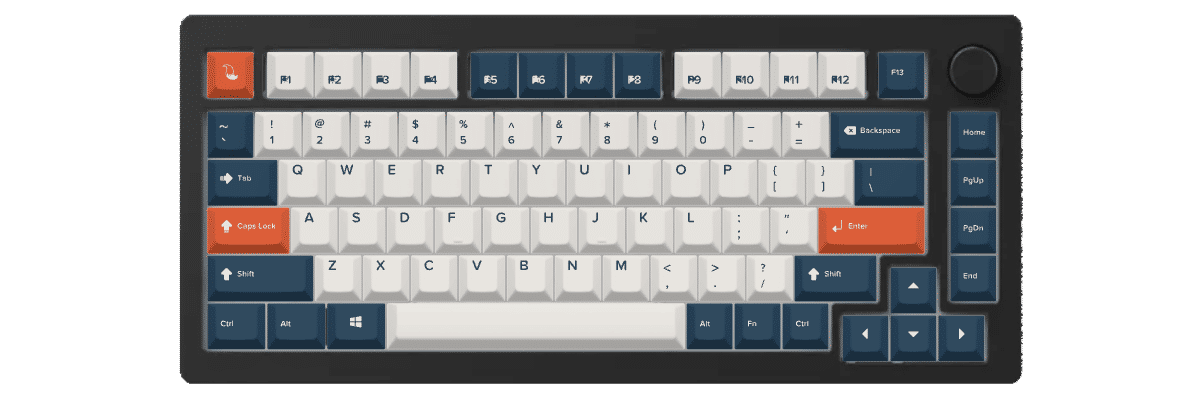
Comparing the Monsgeek M1 layout to standard 75% keyboards reveals one notable addition: the F13 function key. This extra key sits to the right of F12 in the function row, which means you'll need to ensure any custom keycap set includes an F13 key or be prepared to use an alternative 1u keycap in that position.
The M1 follows an otherwise standard 75% layout with:
- Standard 6.25u spacebar
- Standard 2.25u left shift and 1.75u right shift
- Standard 2u backspace
- Standard modifier sizes on the bottom row
- Compact navigation cluster with arrow keys
The rotary encoder position (typically replacing a key in the top-right area) means that position won't receive a keycap. When shopping for pre-made sets, verify the set includes:
- F13 keycap (or have a substitute 1u ready)
- Full function row (F1-F12 plus F13)
- Complete 75% modifier coverage
- Navigation keys (Home, End, Page Up/Down)
Most quality 75% keycap sets will cover the M1 perfectly, though budget sets may lack the F13 key.
Yuzu's Solution
At Yuzu, we've pre-configured our customization tools specifically for the Monsgeek M1:
- All 83 keys mapped correctly, including the F13 function key and rotary encoder position
- Cherry, KAM, PFF, and PBS profiles available in unlimited color combinations
- Professional dye-sublimation on premium 1.5mm PBT for fade-resistant legends
- South-facing compatible designs that work perfectly with the M1's LED configuration
- Perfect fit guaranteed for the Monsgeek M1's exact layout
Our customization tool lets you design your keycaps with real-time preview on a Monsgeek M1 template, ensuring every key—including that unique F13—looks exactly as you envision.
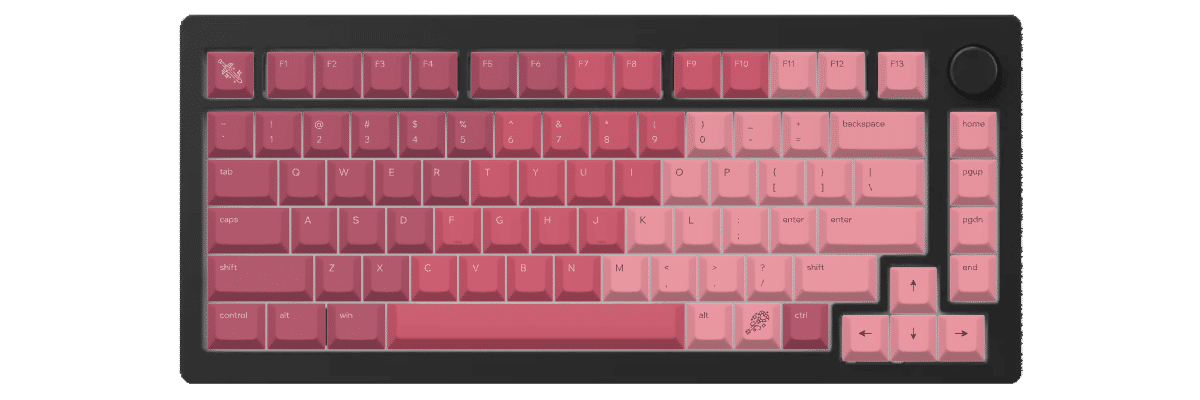
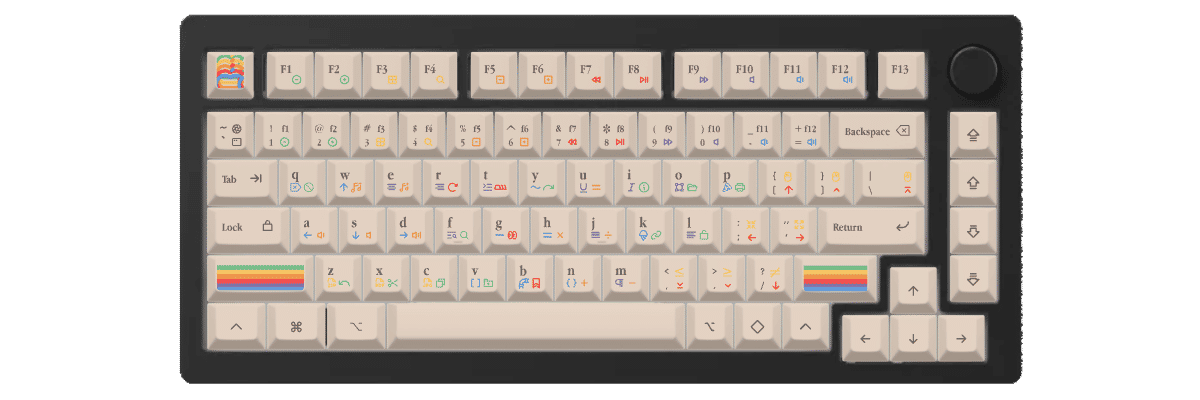
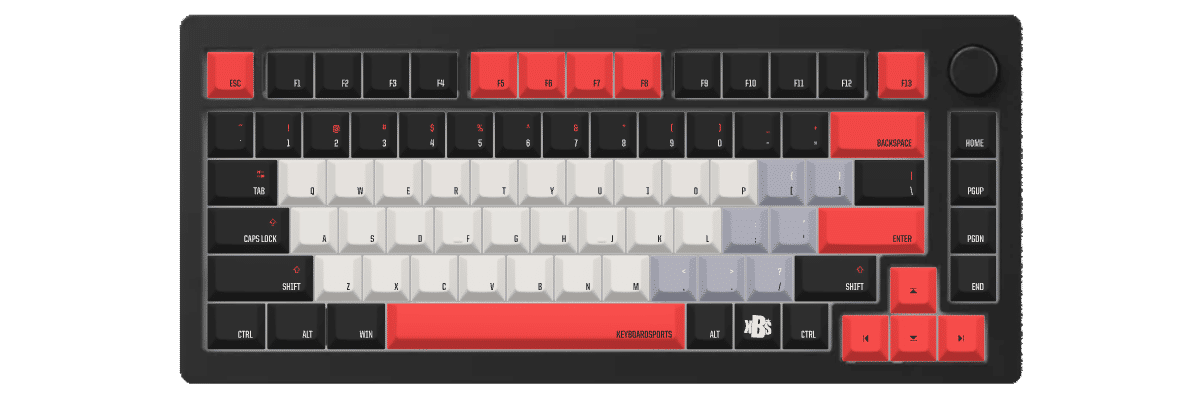
如何为 Monsgeek M1 制作定制键帽
Creating custom keycaps for your Monsgeek M1 is straightforward with Yuzu's pre-configured templates. Our tool automatically accounts for the F13 function key and rotary encoder position, so you can focus on designing rather than measuring compatibility.
The customization process:
- Select Monsgeek M1 from our keyboard catalog
- Choose your preferred profile (Cherry, KAM, PFF, or PBS)
- Design your colors, legends, and special keys
- Preview in real-time on an accurate Monsgeek M1 template
- Order your custom set with confidence in perfect compatibility
Special considerations for the M1: The F13 key allows for creative design opportunities—use it as an accent key, match it to your function row, or make it stand out with a unique color. The south-facing LEDs mean your legends will be properly illuminated regardless of profile choice.
对比 Monsgeek M1 的键帽方案
When considering keycap options for your Monsgeek M1, you'll typically compare three paths: keeping the stock keycaps, shopping for compatible pre-made sets, or creating fully custom keycaps. Each approach has distinct tradeoffs in compatibility, design flexibility, cost, and availability.
The Monsgeek M1's F13 function key makes compatibility verification essential when shopping for pre-made sets, as not all 75% sets include this extra function key. Custom options from Yuzu eliminate this concern entirely.
| 对比项 | 原装键帽 | 成品套装 | Yuzu 定制 |
|---|---|---|---|
| 完美适配 | ✓ 为该型号设计 | ⚠ 需确认兼容性 | ✓ 已预先配置 |
| 设计选择 | 有限 | 数百种选择 | 不受限 |
| 价格区间 | 随机附带 | 40-300 美元以上 | $75.20 |
| 交付周期 | 即时 | 取决于库存 | 9 个工作日 |
| 独一无二的设计 | ✗ | ✗ | ✓ |
| 材质品质 | Doubleshot transparent plastic | 差异很大 | 优质 PBT |
| 字符工艺 | Doubleshot | 各不相同 | 热升华 |

常见问题
准备好设计你的 Monsgeek M1 键帽了吗?
Join thousands of keyboard enthusiasts who've upgraded their Monsgeek M1 with custom Yuzu keycaps. Professional quality, unlimited design options, and perfect compatibility guaranteed.
✓ Pre-configured for Monsgeek M1's 83-key layout
✓ Premium 1.5mm PBT with dye-sublimation
✓ Cherry, KAM, PFF, and PBS profiles available
✓ F13 key and rotary encoder position mapped correctly
✓ South-facing LED compatible designs
✓ Perfect fit guarantee