
Corsair K65 Plus keycaps
Design custom keycaps perfectly matched to your Corsair K65 Plus keyboard layout
✓ Full Compatibility Confirmed
The Corsair K65 Plus uses standard MX switches (Corsair MLX Red), making it fully compatible with all MX-format keycaps. Our customization tools are pre-configured for this keyboard's 81-key 75% layout including the programmable rotary dial position and unique function row spacing.
Corsair K65 Plus specifications for keycaps
What keycaps come with the Corsair K65 Plus?
Stock Keycap Analysis
The Corsair K65 Plus ships with single-shot dye-sublimated PBT keycaps in Cherry profile, offering a solid mid-height profile familiar to most users. The dye-sublimation printing method ensures durable, fade-resistant legends that should maintain clarity through years of use. At approximately 1.2mm thickness, the PBT material provides good rigidity and a slightly textured surface that resists shine development.
Material & Durability: PBT is an excellent choice for stock keycaps, offering superior wear resistance compared to ABS. The dye-sublimation process bonds legends into the plastic rather than sitting on top, making them nearly impossible to wear off even with heavy use.
Visual Design: The gray keycaps feature a minimalist aesthetic with crisp white legends and subtle triangle patterns on the spacebar and silver-accented ESC key. However, the single-shot construction means RGB lighting doesn't shine through the legends—instead, it glows between the keys, which still provides plenty of illumination.
Sound & Feel: Combined with the dual-layer sound dampening (foam and silicon), these keycaps contribute to what reviewers describe as an impressively "thocky" typing sound for a mainstream gaming keyboard. The Cherry profile's sculpted design provides comfortable finger positioning across all rows.
While Corsair's stock keycaps are well-executed for a mainstream board, many users upgrade to custom keycaps for premium materials, unique aesthetic designs, or different profile heights to match personal typing preferences.
Custom keycaps for Corsair K65 Plus
Profile Options
The Corsair K65 Plus uses standard MX switches, giving you access to the full range of keycap profiles. Cherry profile matches the stock configuration and works excellently for gaming and typing—its moderate height and sculpted rows provide excellent ergonomics. For a flatter, uniform experience, DSA or XDA profiles eliminate row height differences, making key placement more flexible. KAM profile offers a mid-height alternative with broader tops that some typists prefer. For enthusiasts seeking deeper acoustics, MT3 profile provides tall, deeply sculpted keys with excellent finger guidance.
Gaming-focused users should consider sticking with Cherry or trying PBS profile, which offers similar ergonomics to Cherry but with slightly wider key tops for improved finger accuracy during intense gaming sessions. Each profile dramatically affects typing feel, sound, and aesthetics—experimentation is key to finding your perfect match.
Material Options
While the K65 Plus ships with quality PBT, upgrading to premium dye-sublimated PBT from custom manufacturers provides enhanced thickness (typically 1.5mm+) for deeper acoustics and even better durability. Dye-sublimation produces sharper, more detailed legends than pad printing or laser etching, with colors that penetrate the material for permanent clarity. Some users prefer doubleshot PBT for crisper two-tone legends, though this limits color options compared to dye-sub's virtually unlimited palette.
Thicker keycaps (1.5-2mm) significantly deepen the keyboard's sound profile, transforming the already-impressive "thock" into something rivaling custom keyboards costing hundreds more. Material choice also affects texture—most custom PBT features finely textured surfaces that resist fingerprints while providing excellent grip.
Layout Compatibility Analysis
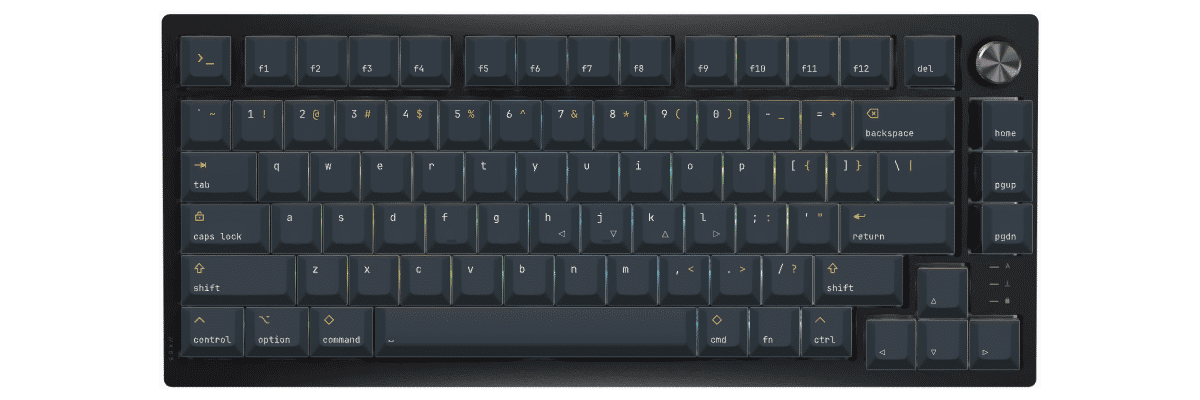
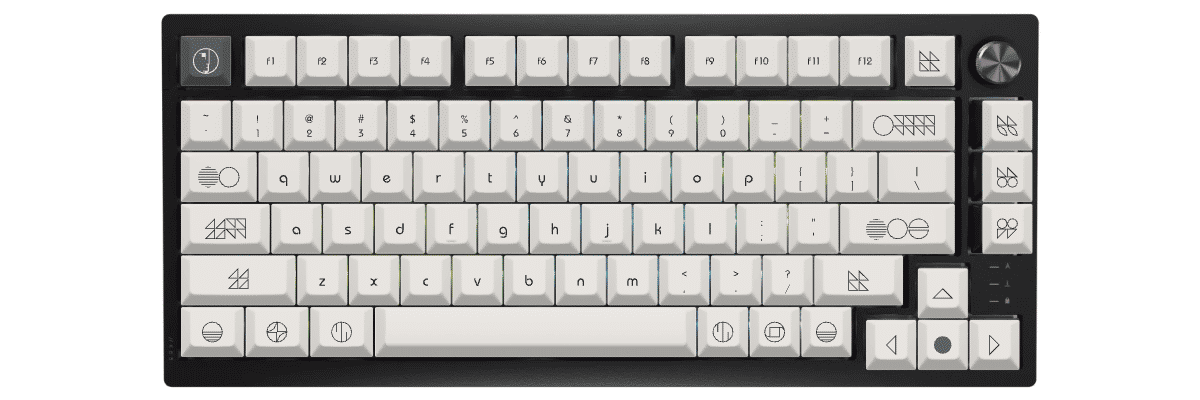
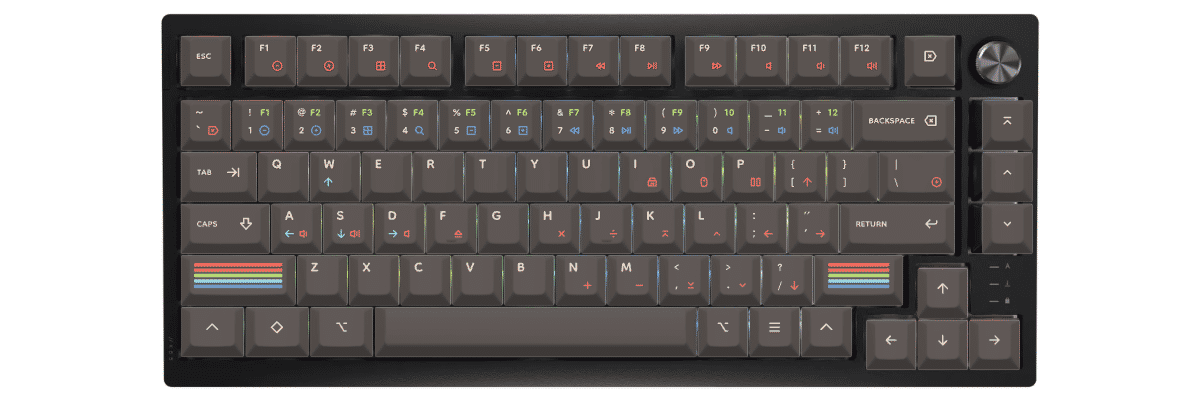
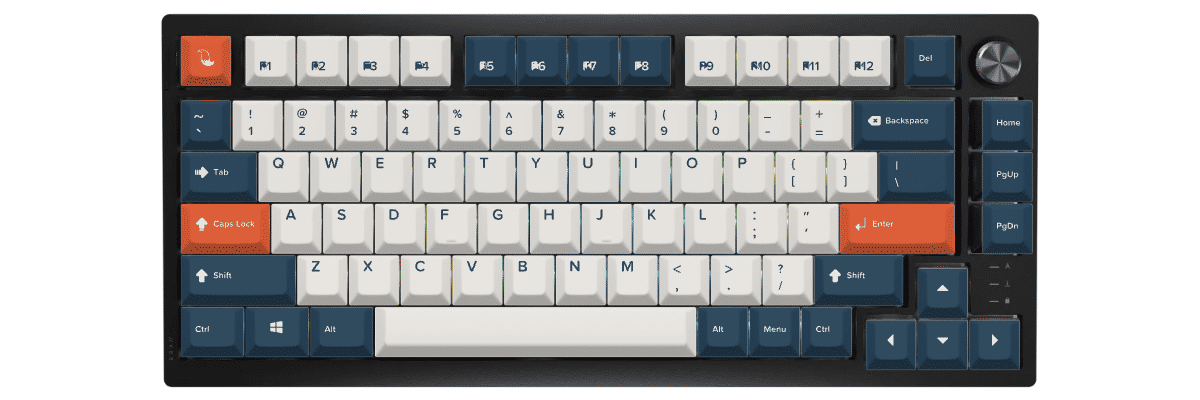
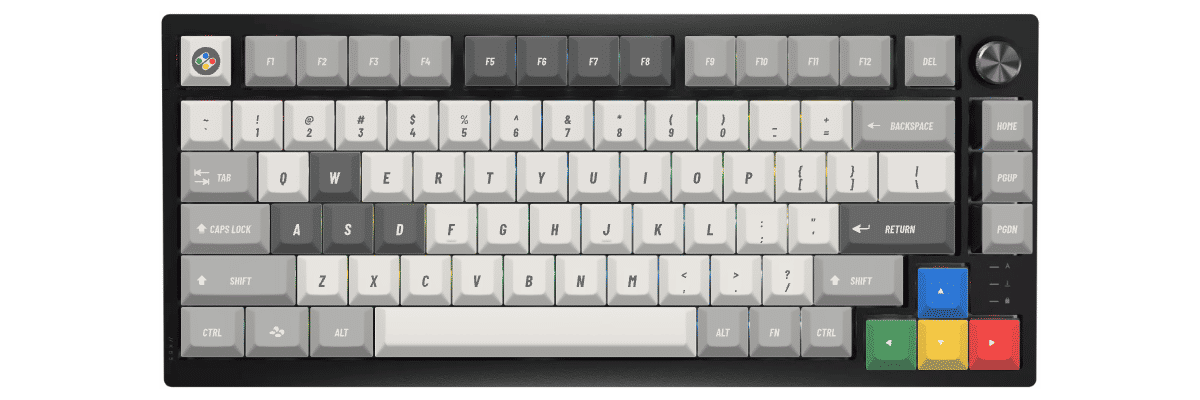
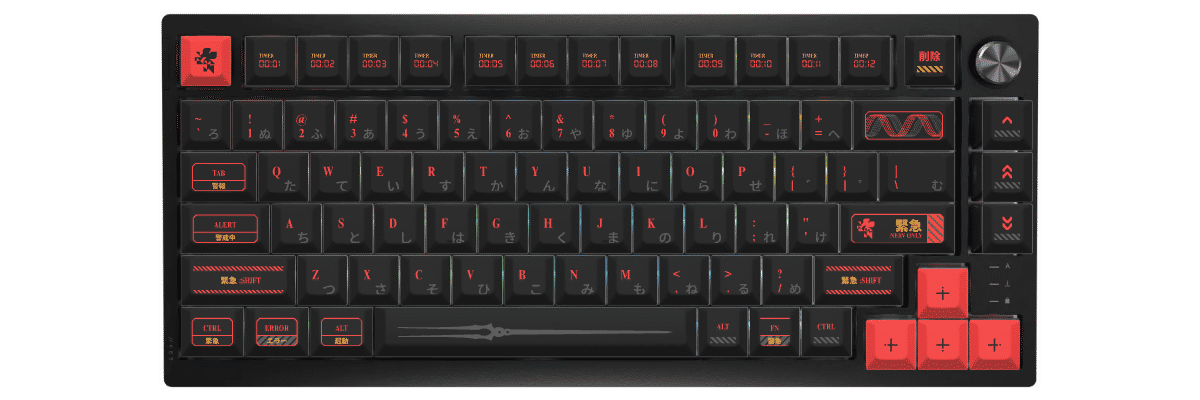
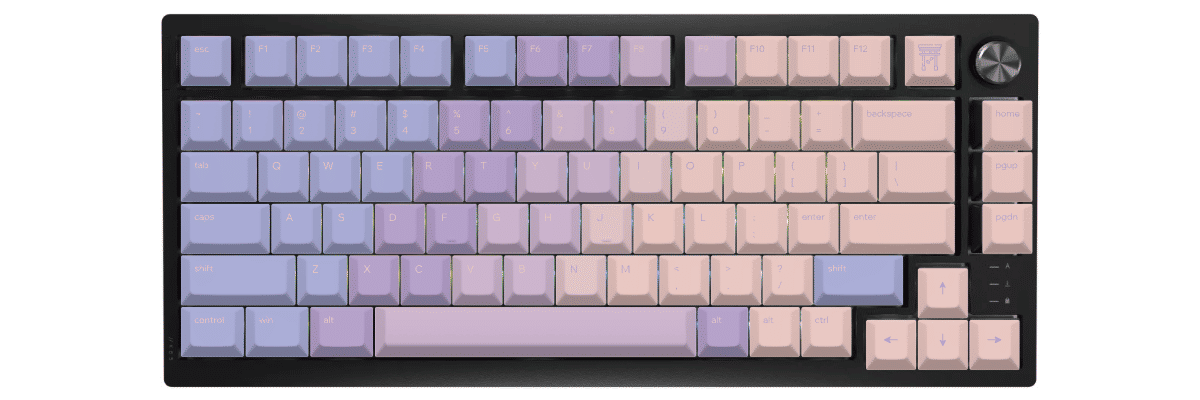
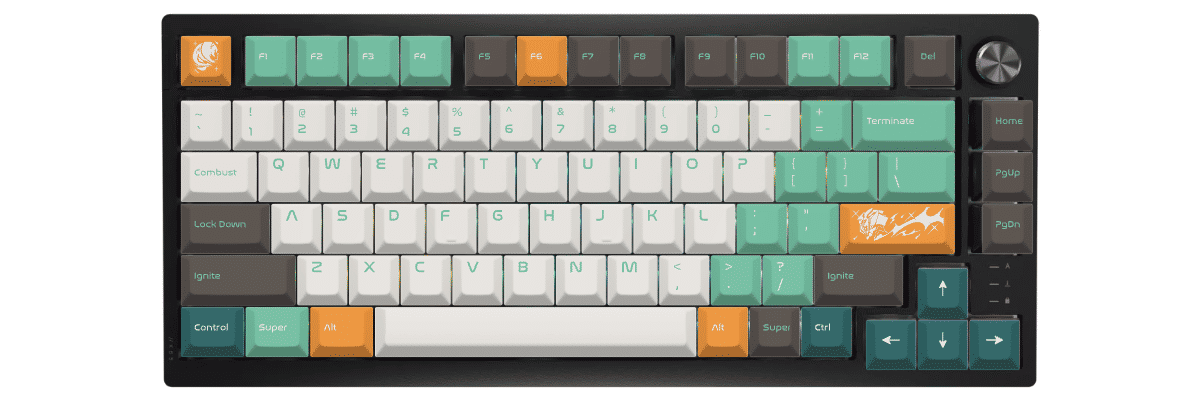
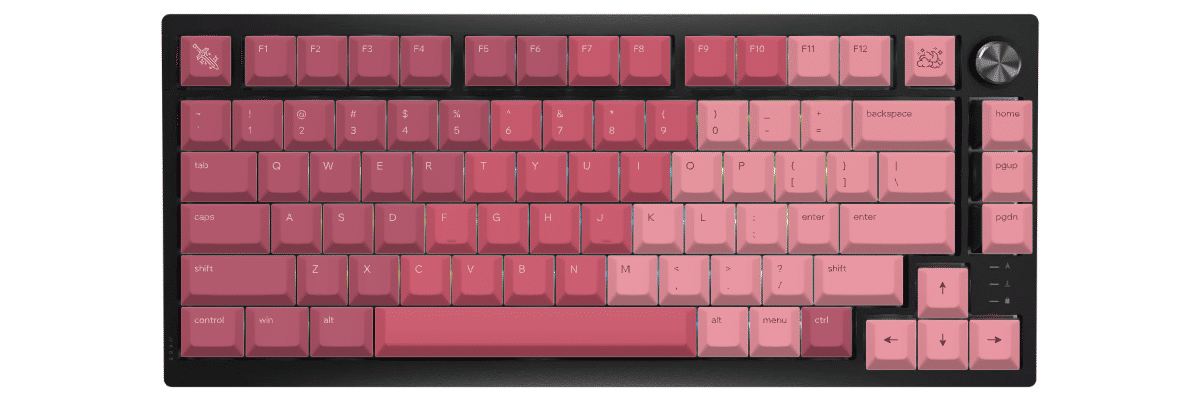
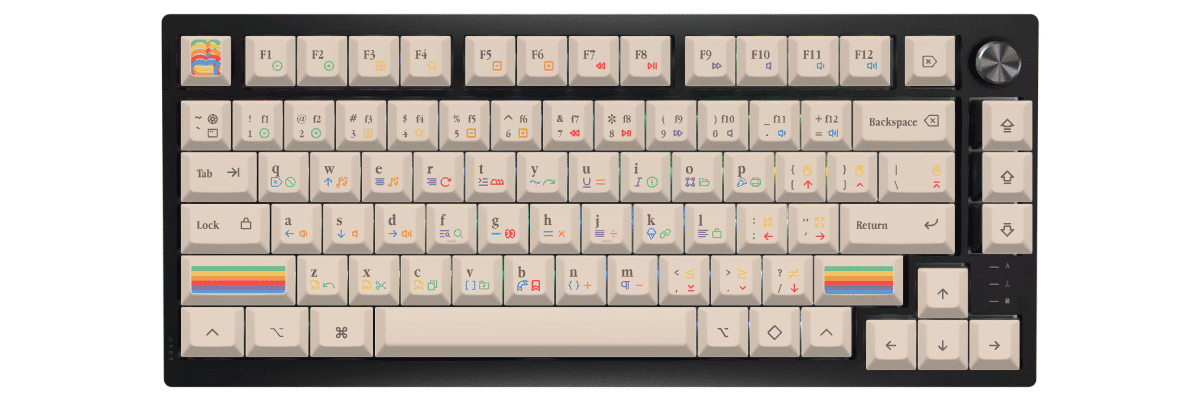
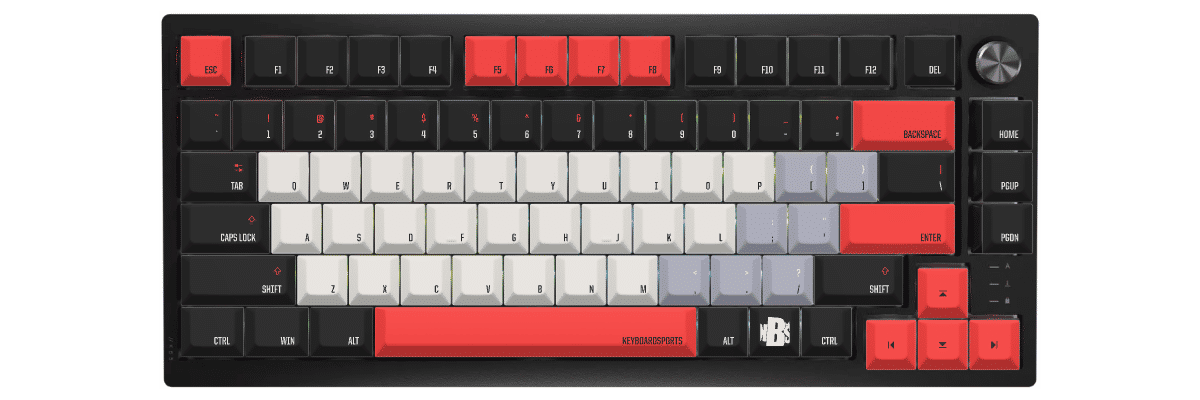
Comparing the Corsair K65 Plus layout to standard 75% keyboards reveals several unique elements to consider when shopping for keycaps. The function row features non-standard spacing—gaps between F4/F5 and F8/F9 create a distinctive layout that differs from compact 75% boards. The arrow keys sit slightly lower than typical 75% positioning, and the right-side navigation cluster (Home/PgUp/PgDn) arranges vertically rather than in the common offset configuration.
These differences primarily affect visual alignment rather than compatibility—all keys use standard sizes. However, if you're particular about achieving perfect visual consistency with the gaps and spacing, you'll want to verify keycap set layouts carefully. The 6.25u spacebar and standard modifier sizes mean most base kits include everything needed, but pay attention to the positioning of Del (top-right corner) when selecting novelty keys or specialized function row sets.
The rotary dial occupies the space where some layouts place additional keys, but this doesn't affect keycap compatibility. Most importantly, avoid keycap sets marketed as "compact 75%" or "space-saving 75%"—these often feature tighter spacing that won't match the K65 Plus's layout.
Yuzu's Solution
At Yuzu, we've pre-configured our customization tools specifically for the Corsair K65 Plus:
- All 81 keys mapped correctly, including the spaced function row and repositioned navigation cluster
- Cherry profile available in unlimited color combinations via our design tool
- Professional dye-sublimation on premium 1.5mm PBT for fade-resistant legends and enhanced acoustics
- Support for the K65 Plus's unique layout spacing—no compatibility guesswork required
- Perfect fit guaranteed for every key including the 6.25u spacebar and all modifiers
Our customization tool provides real-time preview on an accurate K65 Plus template, letting you experiment with colors, legends, and design elements before ordering. Whether you want to match Corsair's minimalist aesthetic or create something completely unique, our system ensures every keycap fits perfectly on your specific keyboard layout.
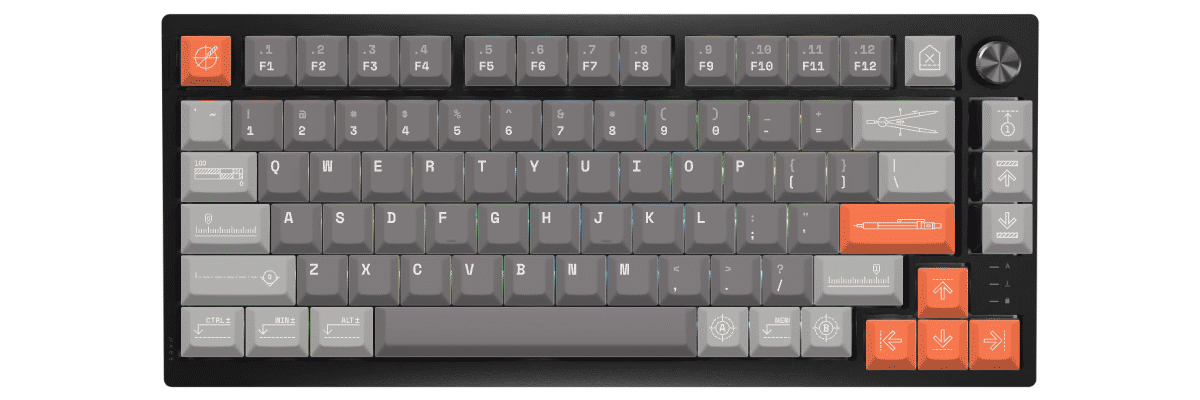
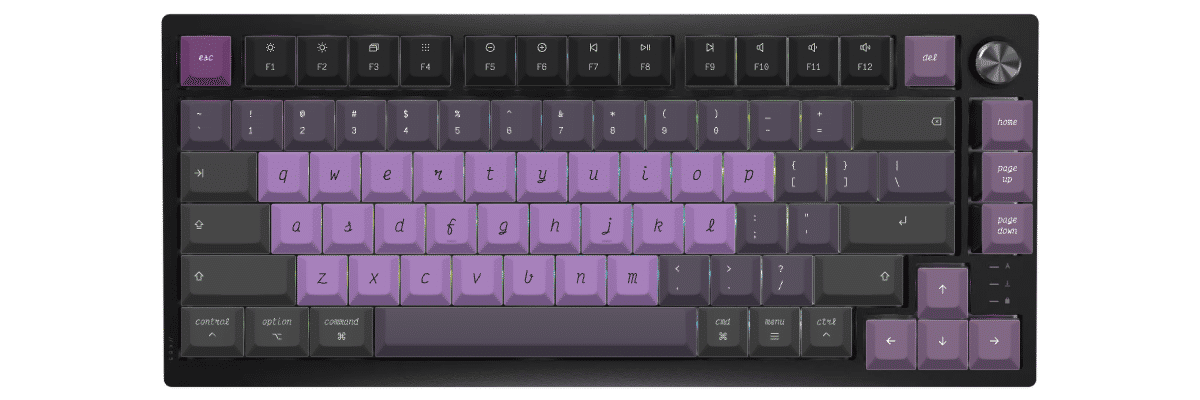
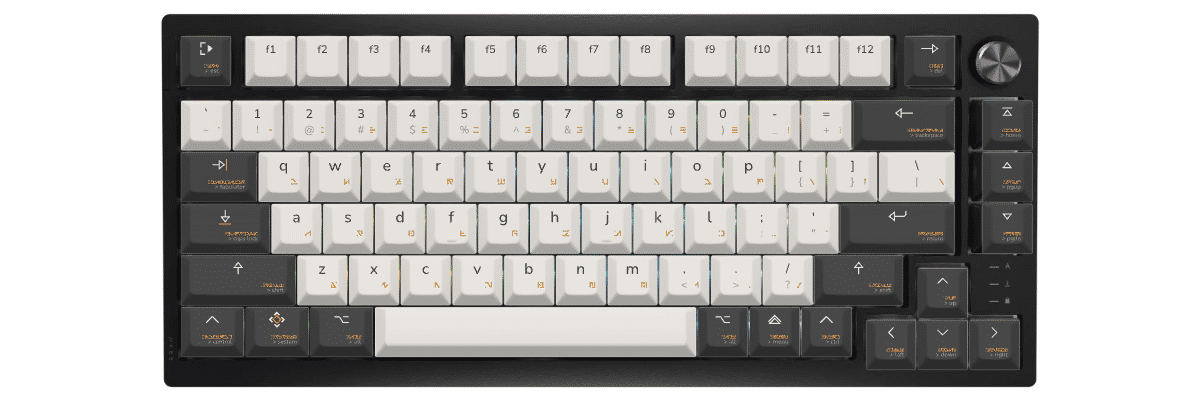
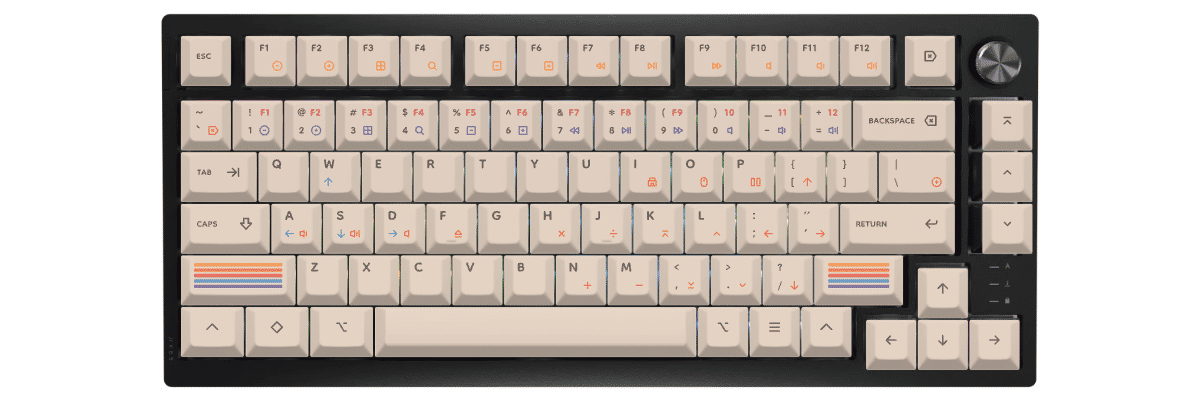
How to create custom keycaps for Corsair K65 Plus
Creating custom keycaps for your Corsair K65 Plus is straightforward with Yuzu's pre-configured templates. Our tool automatically accounts for the K65 Plus's spaced function row and repositioned navigation keys, so you can focus on designing rather than measuring compatibility.
The customization process:
- Select Corsair K65 Plus from our keyboard catalog
- Choose your preferred Cherry profile (or explore other MX-compatible profiles)
- Design your colors, legends, and special keys using our intuitive interface
- Preview in real-time on an accurate K65 Plus template
- Order your custom set with confidence in perfect compatibility
Our dye-sublimation process on premium PBT delivers legends that will never fade, even after years of intensive gaming. The south-facing RGB lighting of the K65 Plus illuminates beautifully between keys, creating an ambient glow that complements custom designs without requiring shine-through legends.
New to keycap customization? Our design tool walks you through every step, from selecting base colors to adding custom legends on specific keys. You can save multiple design iterations and return to refine them before committing to your order.
Compare your Corsair K65 Plus keycap options
When considering keycap options for your Corsair K65 Plus, you'll typically compare three paths: keeping the stock keycaps, shopping for compatible pre-made sets, or creating fully custom keycaps. Each approach has distinct tradeoffs in compatibility, design flexibility, cost, and availability.
The K65 Plus's spaced function row and repositioned navigation cluster make compatibility verification essential when shopping for pre-made sets. While all keys use standard sizes, the layout's unique spacing means not every "75%" keycap set will match the visual alignment perfectly.
| Feature | Stock keycaps | Pre-made sets | Yuzu custom |
|---|---|---|---|
| Perfect fit | ✓ Designed for model | ⚠ Check compatibility | ✓ Pre-configured |
| Design choice | Limited | 100s of options | Unlimited |
| Price range | Included | $40–300+ | $74.40 |
| Lead time | Immediate | Stock dependent | 9 working days |
| Unique design | ✗ | ✗ | ✓ |
| Material quality | Dye-sublimated PBT | Varies widely | Premium PBT |
| Legend method | Dye-sublimation | Varies | Dye-sublimation |
Frequently asked questions
Ready to design your Corsair K65 Plus keycaps?
Join thousands of keyboard enthusiasts who've upgraded their Corsair K65 Plus with custom Yuzu keycaps. Professional quality, unlimited design options, and perfect compatibility guaranteed.
✓ Pre-configured for K65 Plus's unique 75% layout
✓ Premium dye-sublimated PBT with fade-resistant legends
✓ Cherry profile optimized for gaming and typing
✓ All 81 keys mapped correctly including spaced function row
✓ Perfect fit guarantee for south-facing RGB compatibility